
What's in Your Profile
Profile is where you shape Budgett to fit you: your details, your reports, your settings, and your account. Here's every row and what it does.
The Top of Profile
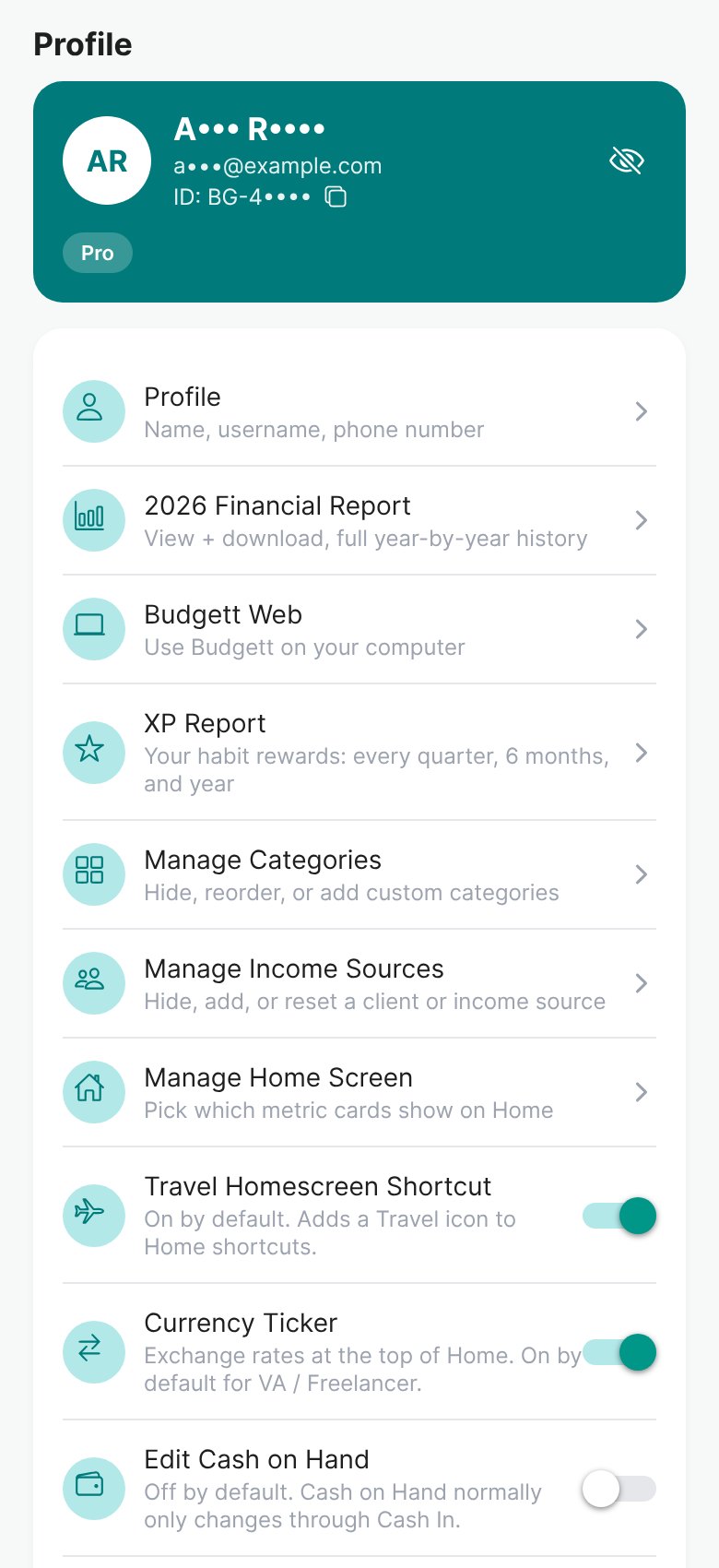
- 1Your card
Your name, email, Budgett ID, and plan. Details are hidden for privacy. Tap the eye to show them. Tap the copy icon to copy your Budgett ID for Support.
- 2Profile
Your Full Name, Display Name (shown on Home and the leaderboard), and phone number. Your Profile Type and app color are here too. On Basic, adding a Full Name and a Display Name unlocks 2 more categories each.
Read: Choosing Your Profile Type → - 3Financial Report
Your spending vs budget, month by month. Plus: view and download 3 months. Pro: the full year and every year before.
Read: Budgett Reports: Financial, Debt and XP → - 4Budgett Web
Use Budgett on your computer at app.usebudgett.com. A Pro feature. Tap it to send yourself the link.
Read: Using Budgett on Your Computer → - 5XP Report
The XP your money habits earned, every quarter, 6 months, and year.
Read: Every Way to Earn XP → - 6Manage Categories
Hide categories you don't use, reorder them (Pro), or add your own (Pro).
Read: Understanding Your Expenses → - 7Manage Income Sources
Hide, add, or reset a client or income source.
Read: How to Manage Your Income → - 8Manage Home Screen
Pick which number cards show at the top of Home.
Read: Your Home Screen, Explained → - 9Travel Homescreen Shortcut
Adds a Travel icon to the shortcuts on Home. On by default.
- 10Currency Ticker
Exchange rates at the top of Home. On by default for VA / Freelancer. Anyone can turn it on or off here.
Read: Choosing Your Profile Type → - 11Edit Cash on Hand
Off by default, because Cash on Hand normally changes only through Cash In and your expenses. Turn it on to fix the amount by hand when your real cash doesn't match.
Typing a new balance yourself is called a correction. In your first 30 days, corrections are unlimited. From day 31 to day 90, you get 5 free per month. After that, 2 free per month. Each extra correction costs 10 XP. Free corrections reset on the 1st of every month.
The Bottom of Profile
- 12Account Limits
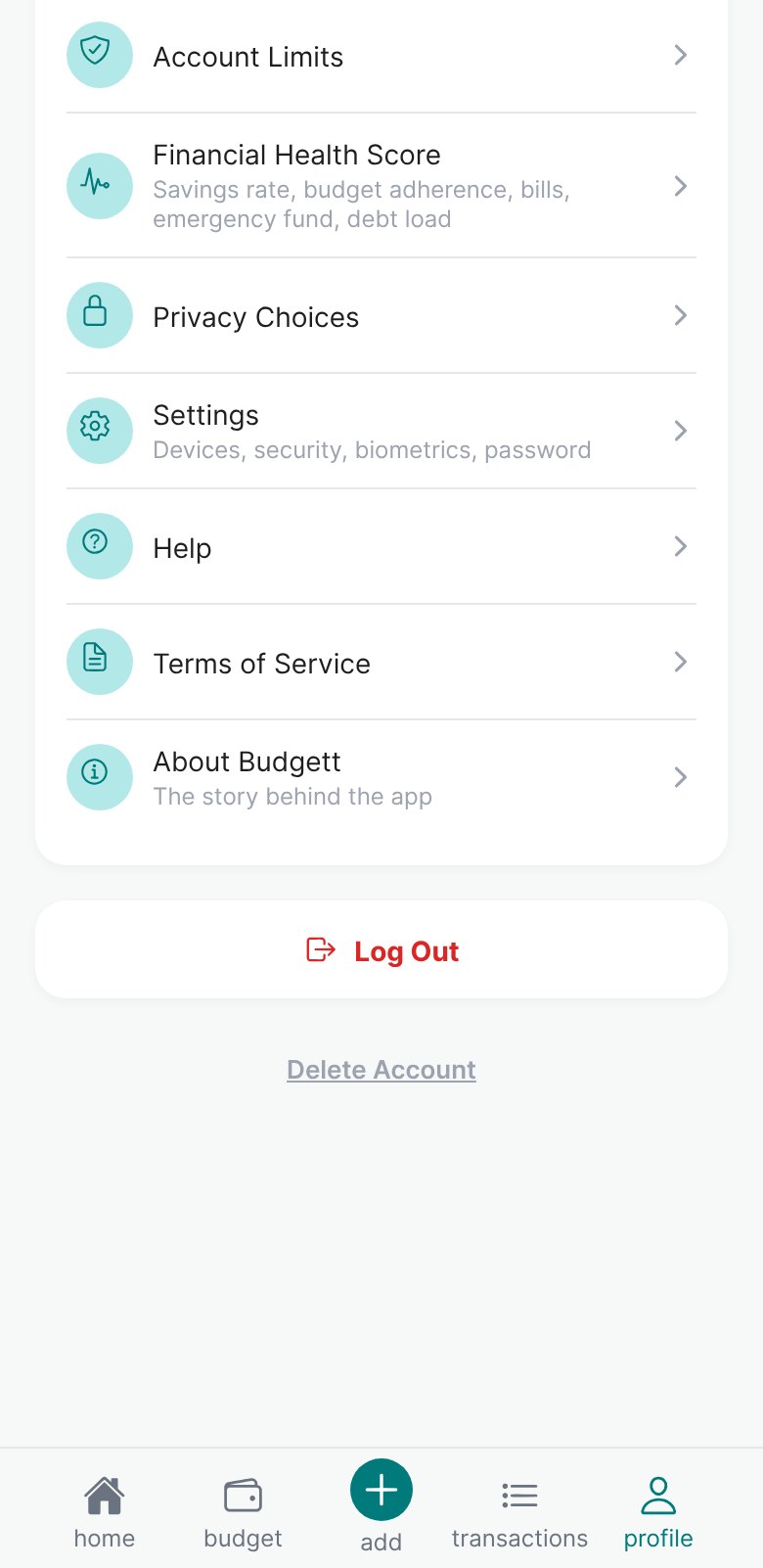
A side-by-side table of what Basic, Plus, and Pro each give you, with your plan highlighted.
Read: Basic, Plus, and Pro: how to move up → - 13Financial Health Score
One score for your money health: savings rate, staying on budget, bills, emergency fund, and debt.
- 14Privacy Choices
Where you'll choose what Budgett may use to improve the app and tailor your tips. These switches are coming soon.
- 15Settings
Your devices (see where you're logged in and sign one out), security questions, fingerprint or face login, and password.
- 16Help
Send a message to Budgett Support and read their replies.
- 17Terms of Service
The rules for using Budgett, in plain words.
- 18About Budgett
The story behind the app.
- 19Log Out
Signs you out of this phone. Your data stays safe in your account.
- 20Delete Account
Deletes your account and everything in it, for good. Budgett asks you twice before it does.
Open Profile → Manage Home Screen and pick the 4 numbers you want to see first every day.
More guides
Managing Your Account
Devices, fingerprint lock, passcode, password, security questions, and deleting your account.
Make Budgett Yours
Your app color, your Home screen cards, shortcuts, and your Display Name.
Using Budgett With No Signal
How Budgett keeps working offline and catches up when you're back online.