
Your Budget Tab, Explained
The Budget tab is where you plan your month and see if the plan is working. Here's every part of it. The numbers in the pictures are sample numbers.
The Top of the Budget Tab
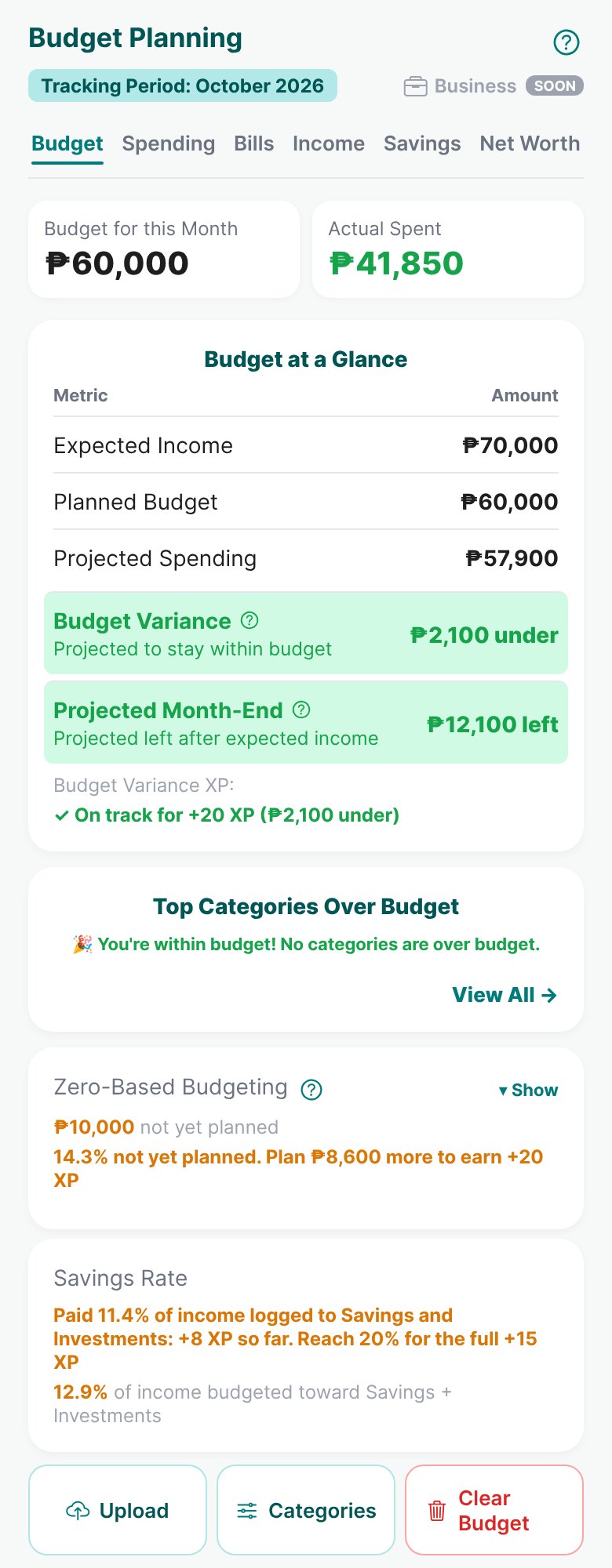
- 1Tracking Period
The month you're planning. From the 16th, you can switch to next month and plan it early.
Read: Planning your budget for next month → - 2The 6 tabs
Budget, Spending, Bills, Income, Savings, and Net Worth. Each one has its own guide.
- 3Budget vs Actual
Your budget for the month next to what you've really spent so far.
- 4Budget at a Glance
Expected Income, your Planned Budget, and Projected Spending (spent so far + bills still to pay).
Read: Understanding Your Expenses → - 5Budget Variance
Your budget minus Projected Spending. Green means you're heading to stay within budget.
- 6Projected Month-End
What should be left after your expected income pays for everything.
- 7Budget XP
Shows if you're on track to earn XP for staying within budget this month.
Read: How Budgeting Earns XP → - 8Top Categories Over Budget
The categories that went over, biggest first. Tap View All to see them all.
- 9Zero-Based Budgeting
How much of your income still has no job. Plan every peso to earn XP.
Read: How Budgeting Earns XP → - 10Savings Rate
How much of your income went to Savings and Investments, and the XP it can earn.
- 11Upload, Categories, Clear Budget
Upload pastes a whole budget as text. Categories hides or adds categories. Clear Budget starts your budget over (it asks first).
Read: Uploading Your Budget or Expense List →
Budget Planning
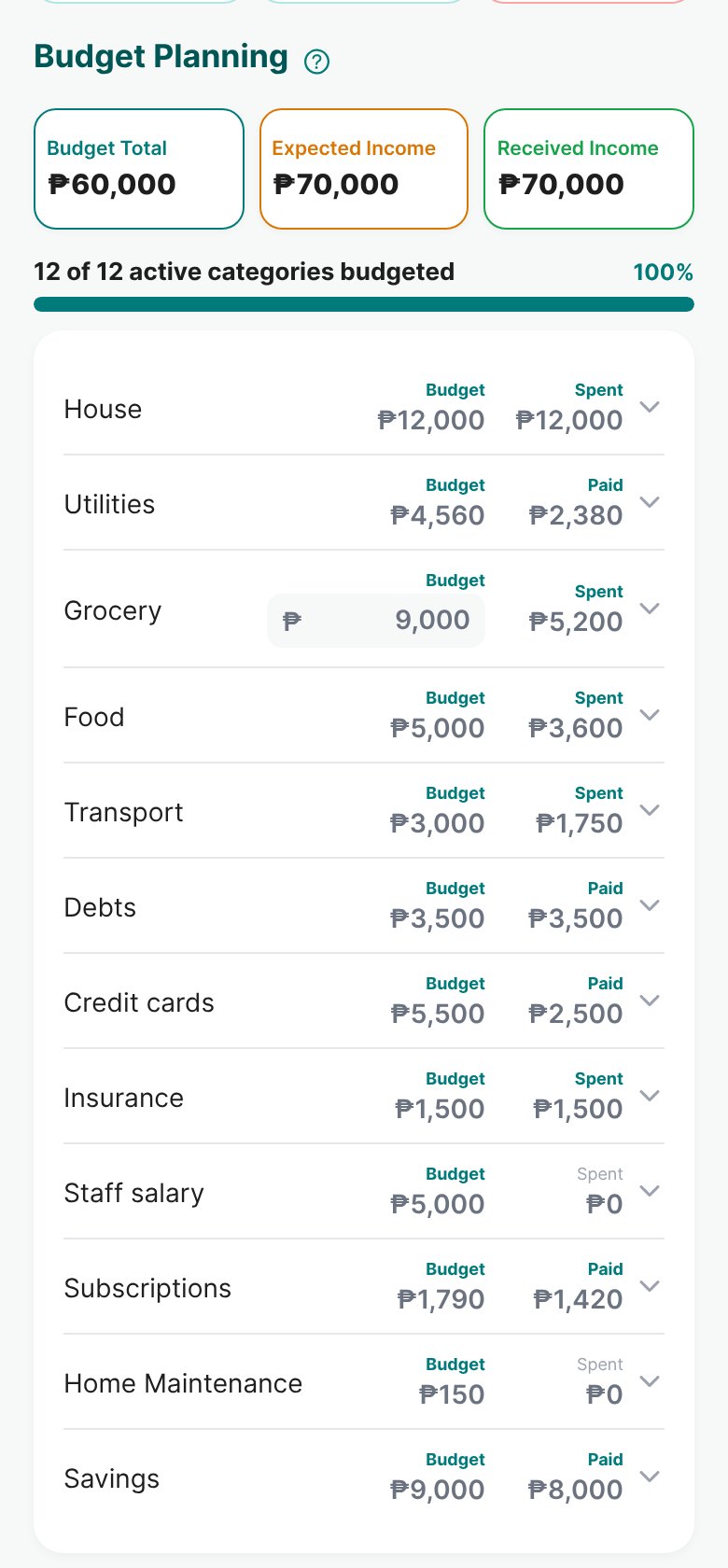
- 12Budget, Expected, Received
Your total budget, the income you expect, and the income you've really received.
- 13Categories budgeted
How many of your categories have a budget. Aim for all of them.
- 14Your categories
Each row shows Budget and what you Spent (or Paid, for bills and debts). Tap the arrow to open its sub-categories and set a budget for each one.
Read: Managing Your Categories → - 15Grocery budget
Grocery has one budget for the whole category. Type it right here.
Read: How Grocery SuperList works →
Open Budget and check Budget Variance. If it's red, open the category over budget and see what pushed it over.
More guides
Uploading Your Budget or Expense List
Paste your budget or expense list as plain text, and let Budgett sort it into categories.
How to Manage Your Income
Set up your clients and payment slots, plan what you expect, and log what really came in.
Understanding Your Expenses
How expenses are sorted, what Projected Spending means, and how to catch overspending early.